

You can turn one change on, see the trade-off, and leave your plan untouched.
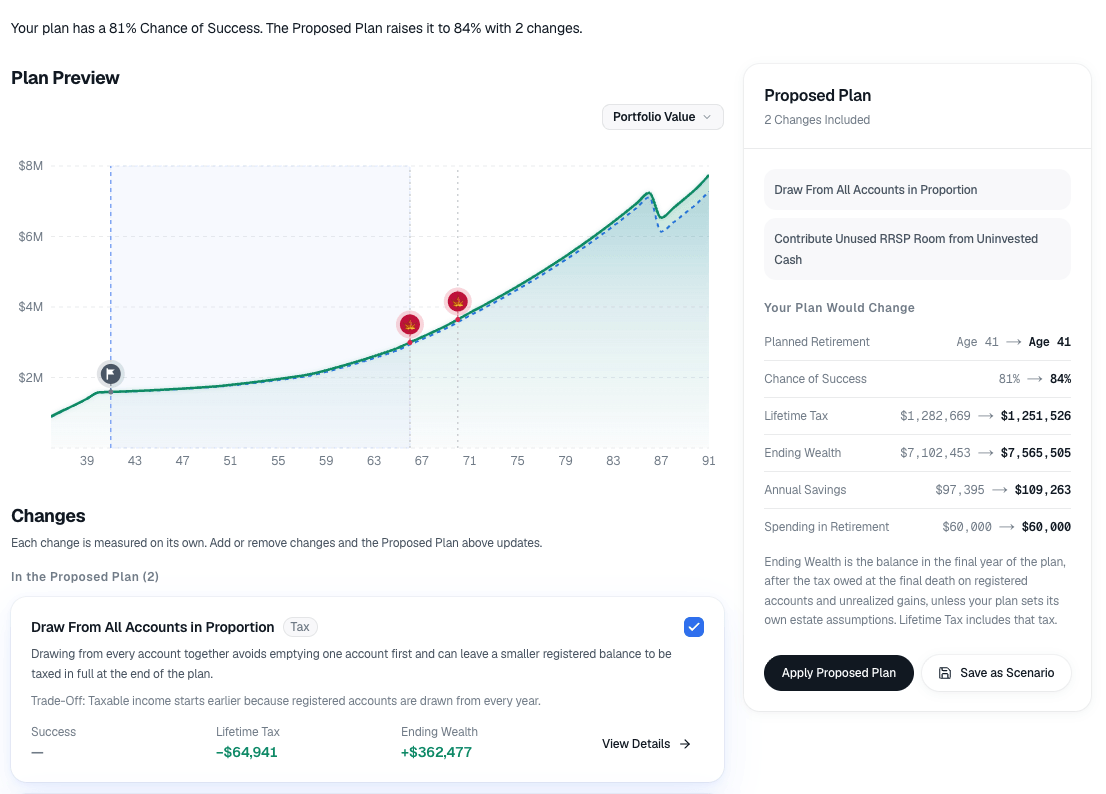
Optimizations looks for changes that could improve the plan, such as stopping work sooner, spending differently, or drawing from registered accounts earlier. Each change is scored on its own, with the gain and what you give up.
Turning a change on builds a proposed plan next to the current one. Your active plan stays as it is until you choose to apply the proposal.
01
What You Enter
The plan you have, and the kind of improvement you want to test.
02
What The Model Does
One change at a time, with the trade-off beside the result.
03
What You Decide
Whether to apply that proposal, or leave the plan untouched.
Explorer and Planner
- Explorer
- Explorer includes the top baseline recommendation.
- Planner
- Every optimization recommendation, including goals that survive a stress test